10 WordPress Performance Mistakes Killing Your Site
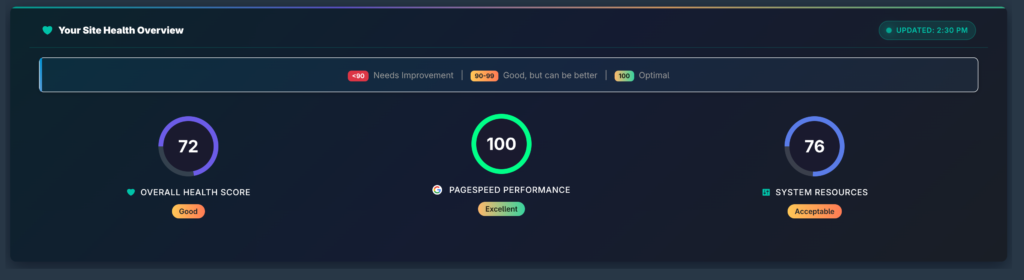
Is your WordPress site slower than it should be? You might be making these common mistakes. In this guide, we reveal the top 10 performance mistakes and how to fix them.
Mistake #1: Not Using a Caching Plugin
Caching is essential for WordPress performance. Without it, your server regenerates every page on every request.
The fix: Install a caching plugin like WP Rocket, W3 Total Cache, or LiteSpeed Cache.
Mistake #2: Too Many Plugins
Each plugin adds potential performance overhead. Having 50+ plugins is a recipe for slow load times.
The fix: Audit your plugins regularly. Use SitePulse to identify which ones use the most resources.
Mistake #3: Not improving Images
Unoptimized images are often the biggest cause of slow pages.
The fix: Use WebP format, compress images, and implement lazy loading.
Mistake #4: Using an Outdated PHP Version
Older PHP versions are slower and less secure.
The fix: Update to PHP 8.1 or higher. Check with your hosting provider.
Mistake #5: Not Using a CDN
A CDN speeds up content delivery for visitors worldwide.
The fix: Use Cloudflare, BunnyCDN, or your host’s CDN.
Mistake #6: Not Minifying CSS and JavaScript
Unminified files are larger and take longer to load.
The fix: Enable minification in your caching plugin.
Mistake #7: Not Cleaning the Database
Over time, your database accumulates post revisions, transient options, and spam comments.
The fix: Use WP-Optimize or your caching plugin’s database cleanup.
Mistake #8: Not Monitoring Performance
The biggest mistake? Not tracking performance at all.
The fix: Use SitePulse for continuous monitoring and AI-powered insights.
Mistake #9: Not Updating WordPress
Updates often include performance improvements and security fixes.
The fix: Enable automatic updates or check weekly.
Mistake #10: Too Many External Scripts
Analytics, chat widgets, ads, and social buttons all add load time.
The fix: Limit external scripts and load them asynchronously.
How SitePulse Helps
SitePulse monitors all these issues automatically:
- Finds resource-heavy plugins
- Detects outdated PHP versions
- Monitors Core Web Vitals
- Provides AI recommendations
- Sends alerts when issues arise