The Best Website Performance Monitoring Tools in 2026: Why SitePulse is the Game-Changer
Is your website fast? Most site owners want to say yes, but without the right performance monitoring tools, they are essentially guessing. In a world where Google’s Core Web Vitals directly impact your SEO rankings and user retention, ‘guessing’ is a risk you cannot afford.
Speed is not just a technical metric; it is a business imperative. When a site feels laggy, visitors leave. When it feels instantaneous, they trust the brand and convert. This is why tools like SitePulse have become essential for the modern WordPress stack.
Key Takeaways for 2026
- Track the Right KPIs: Focus on Core Web Vitals (LCP, INP, CLS) and Time to First Byte (TTFB).
- AI-Powered Insights: Move beyond raw data. Use AI to interpret bottlenecks and provide actionable fixes.
- Continuous Monitoring: Performance is not a one-time check. It changes with every plugin update and content addition.
- User-Centric Views: Choose tools that offer both simplified ‘Health Scores’ for owners and deep technical data for developers.
Why Websites Slow Down Over Time
Even a perfectly optimized site can degrade. Common culprits include:
- Plugin Accumulation: Every new plugin adds potential weight and slow hooks.
- Third-Party Scripts: Analytics, ads, and chat widgets often stall the main thread.
- Outdated Infrastructure: Running on old PHP versions or unoptimized servers.
- Resource Bloat: Large unoptimized images and unminified CSS/JS files.
Introducing SitePulse: Real-Time Intelligence
While traditional tools like GTmetrix or PageSpeed Insights provide excellent synthetic tests, SitePulse offers something different: Real-Time Dashboard Intelligence directly inside your WordPress admin.
1. AI Diagnostics: Stop Sifting Through Raw Logs
The standout feature in SitePulse 1.3.0 is the AI Diagnostic tool. Instead of forcing you to analyze 200 different WordPress hooks to find a bottleneck, our AI summarizes the data. It identifies precisely which plugin is consuming the most resources and tells you how to fix it. This is ‘intelligence-as-a-service’ for your performance stack.
2. Performance Dashboard and Health Scores
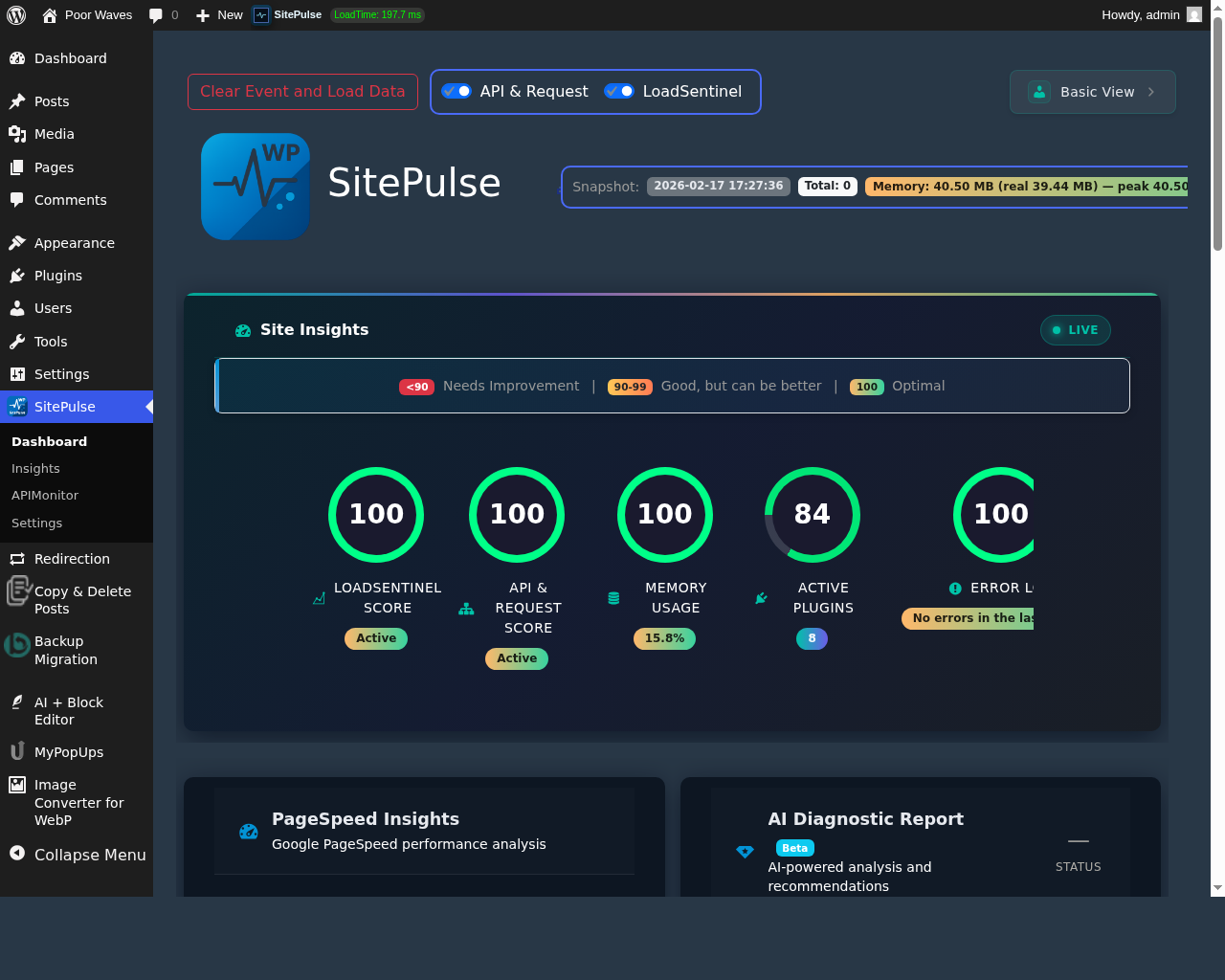
SitePulse provides a composite Health Score based on load time, memory usage, and CPU utilization. This gives you an at-a-glance view of your site’s status. In our recent tests on the Poor Waves sandbox environment, we maintained a 211ms baseline load time, with the dashboard flagging even the slightest regressions instantly.
3. Developer vs. Basic Views
Accessibility matters. Not every site owner is a developer, but every developer needs deep data.
- Basic View: Designed for site owners. It focuses on human-readable insights and clear ‘Pass/Fail’ indicators for Core Web Vitals.
- Developer View: Provides millisecond-level timing for every hook, API request tracking, and detailed timing data for debugging.
How to Monitor and Optimize Your Site
- Establish a Baseline: Run an initial test using SitePulse to see your current load times and TTFB.
- Identify Bottlenecks: Use the AI Diagnostic to see which plugins or themes are the heaviest.
- Apply Fixes: Optimize images and minify scripts as recommended.
- Set Up Alerts: Configure SitePulse to notify you if performance degrades or fatal errors occur.
FAQs on Performance Monitoring
What is the most important metric for SEO?
Largest Contentful Paint (LCP) is critical, as as it measures when the main content becomes visible to the user.
Does SitePulse slow down my site?
No. SitePulse is built to be lightweight and runs asynchronously. It is designed to monitor performance without becoming a bottleneck itself.
How often should I check my performance?
Ideally, you should monitor it continuously. SitePulse handles this automatically, but you should review your dashboard weekly or after any major update.
Wrapping Up
Performance monitoring is no longer optional. To stay competitive in 2026, you need tools that provide both the ‘what’ and the ‘how’ of optimization. SitePulse 1.3.0 bridges that gap, giving you the AI-driven insights needed to keep your WordPress site fast, healthy, and SEO-friendly.