SitePulse vs Jetpack: WordPress Monitoring Comparison
When it comes to keeping your WordPress site healthy and performing at its best, you have options. This comparison looks at Jetpack against SitePulse to help you decide which monitoring tool is right for your needs.
What is Jetpack?
Jetpack is an all-in-one WordPress plugin from Automattic that bundles site monitoring, security, performance tools, and more into a single plugin. While popular, many features require a paid subscription and the monitoring is just one part of a larger suite.
Jetpack Key Features
- Downtime monitoring with email alerts
- Related posts and content performance
- Security scanning and brute-force protection
- Performance metrics and image optimization
- Backup and restore functionality
- Site stats and analytics dashboard
Pros and Cons
What We Like
- Established brand with millions of users
- Single plugin covers many needs
- Tight integration with WordPress.com
- Automatic security scanning
Room for Improvement
- Feature bloat – pays for things you may not need
- Monitoring buried under many unrelated features
- Can slow down your site with extra code
- Free tier has very limited monitoring
- Aggressive upselling to paid features
SitePulse vs Jetpack: Feature Comparison
| Feature | SitePulse | Jetpack |
|---|---|---|
| Primary Focus | WordPress monitoring with AI diagnostics | WordPress + broader tools |
| Pricing | Free tier + early access to pro | Free tier limited; Paid plans start at $3.50/month for basic monitoring, $9/month for advanced features |
| AI Diagnostics | ✅ Native AI-powered insights | ❌ Not available |
| WordPress-Specific | ✅ Built for WordPress | ✅ Partially |
| Multi-Site Support | ✅ Multiple installations | ✅ Available |
| Real User Monitoring | ✅ LoadSentinel + PageSpeed | ✅ Available in premium |
| Plugin/Theme Health | ✅ Hook monitoring + health score | ❌ Not WordPress-specific |
Why Choose SitePulse?
While Jetpack has its strengths, SitePulse is purpose-built for WordPress site owners who want:
- WordPress-first monitoring — Not a general tool adapted for WordPress, but built from the ground up for WordPress sites
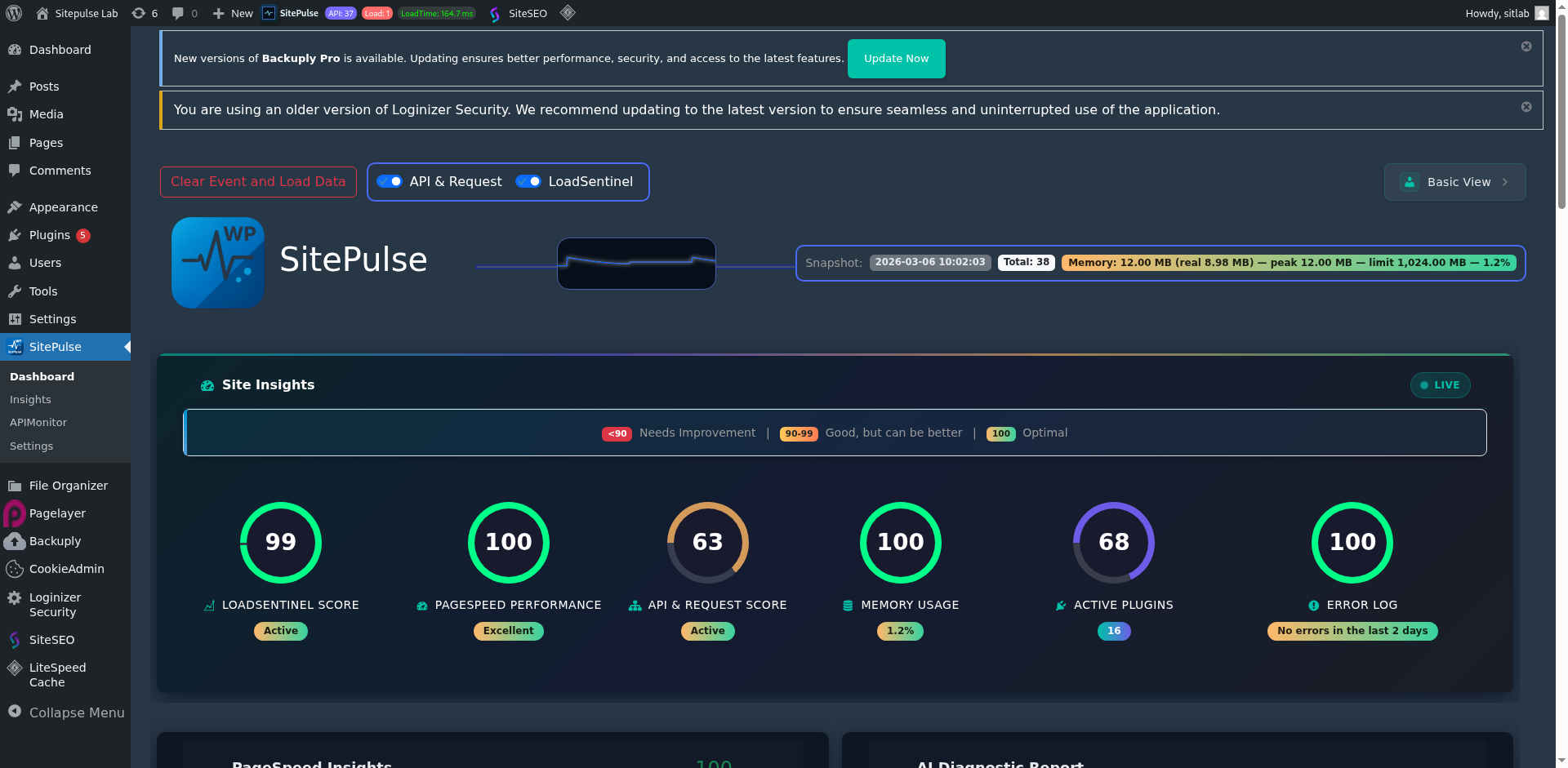
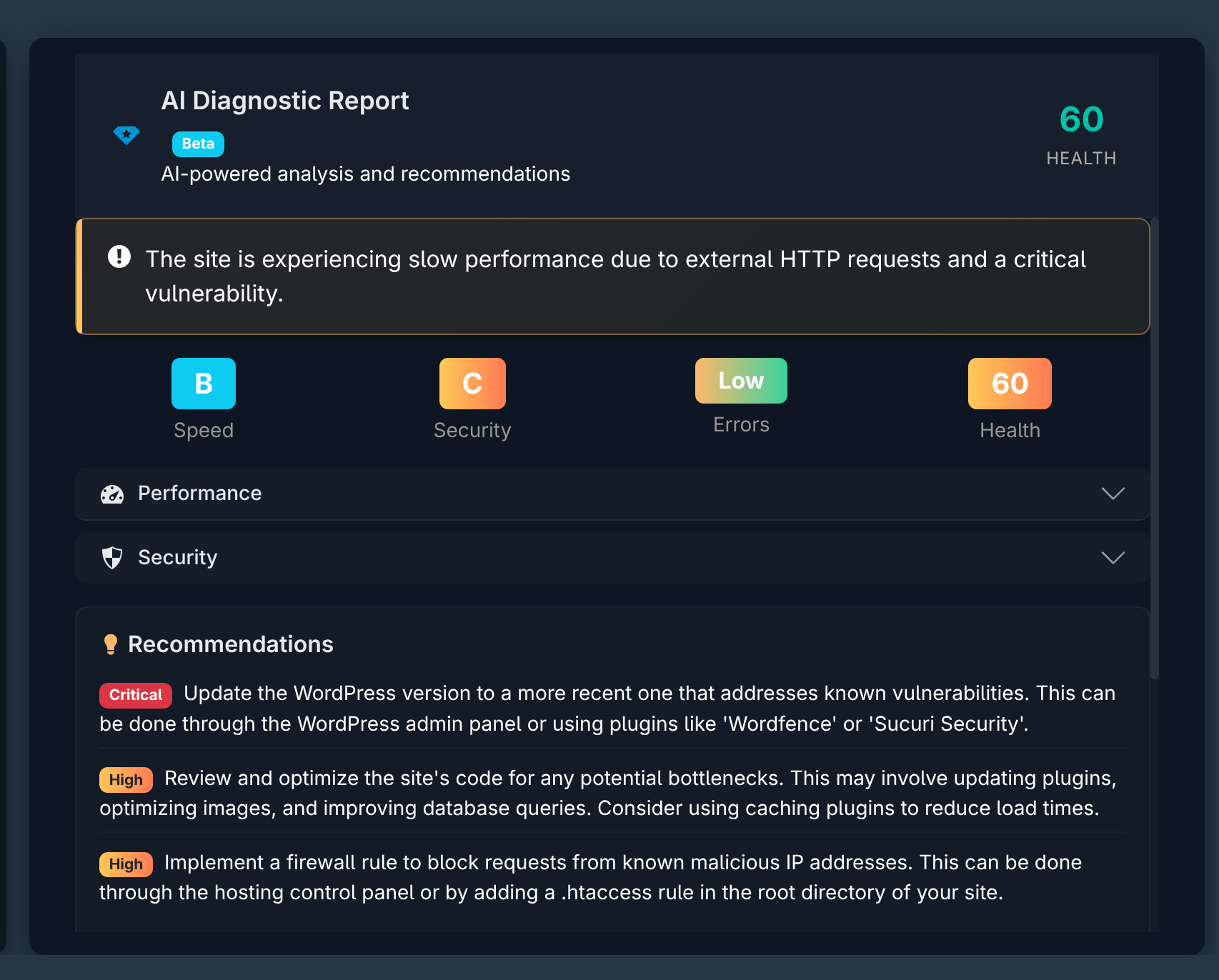
- AI-powered diagnostics — Get plain-language insights into what is slowing your site down, not just raw numbers
- Core Web Vitals tracking — Monitor LCP, INP, and CLS directly in your WordPress admin
- Plugin performance insights — Know exactly which plugin hooks are slowing down your site
- Free to start — No credit card required to begin monitoring your WordPress site
Final Thoughts
If you are serious about WordPress performance and want a tool that understands the nuances of WordPress sites — from plugin hook execution times to Core Web Vitals to AI-powered health scores — SitePulse is worth trying. Start free and see the difference for yourself.