SitePulse vs UpdraftPlus: WordPress Monitoring Comparison
When it comes to keeping your WordPress site healthy and performing at its best, you have options. This comparison looks at UpdraftPlus against SitePulse to help you decide which monitoring tool is right for your needs.
What is UpdraftPlus?
UpdraftPlus is primarily known as a backup and migration plugin for WordPress. While it excels at backups, its monitoring capabilities are secondary and come through premium add-ons or integrations.
UpdraftPlus Key Features
- Automated backup scheduling (local and cloud)
- Migration and clone tools
- Backup encryption and security
- Incremental backup support
- Backup to multiple destinations (Dropbox, Google Drive, etc.)
- One-click restore functionality
Pros and Cons
What We Like
- Industry-leading backup functionality
- Supports 35+ cloud storage destinations
- Free version is genuinely useful
- Reliable restoration process
- Regular updates and security patches
Room for Improvement
- Monitoring is not the primary focus
- Premium features required for full functionality
- No real-time uptime monitoring in free version
- Interface can be overwhelming with many options
SitePulse vs UpdraftPlus: Feature Comparison
| Feature | SitePulse | UpdraftPlus |
|---|---|---|
| Primary Focus | WordPress monitoring with AI diagnostics | WordPress + broader tools |
| Pricing | Free tier + early access to pro | Free version for backups; Premium add-ons from $70 (lifetime) for migration and scheduling features |
| AI Diagnostics | ✅ Native AI-powered insights | ❌ Not available |
| WordPress-Specific | ✅ Built for WordPress | ✅ Partially |
| Multi-Site Support | ✅ Multiple installations | ✅ Available |
| Real User Monitoring | ✅ LoadSentinel + PageSpeed | ✅ Available in premium |
| Plugin/Theme Health | ✅ Hook monitoring + health score | ❌ Not WordPress-specific |
Why Choose SitePulse?
While UpdraftPlus has its strengths, SitePulse is purpose-built for WordPress site owners who want:
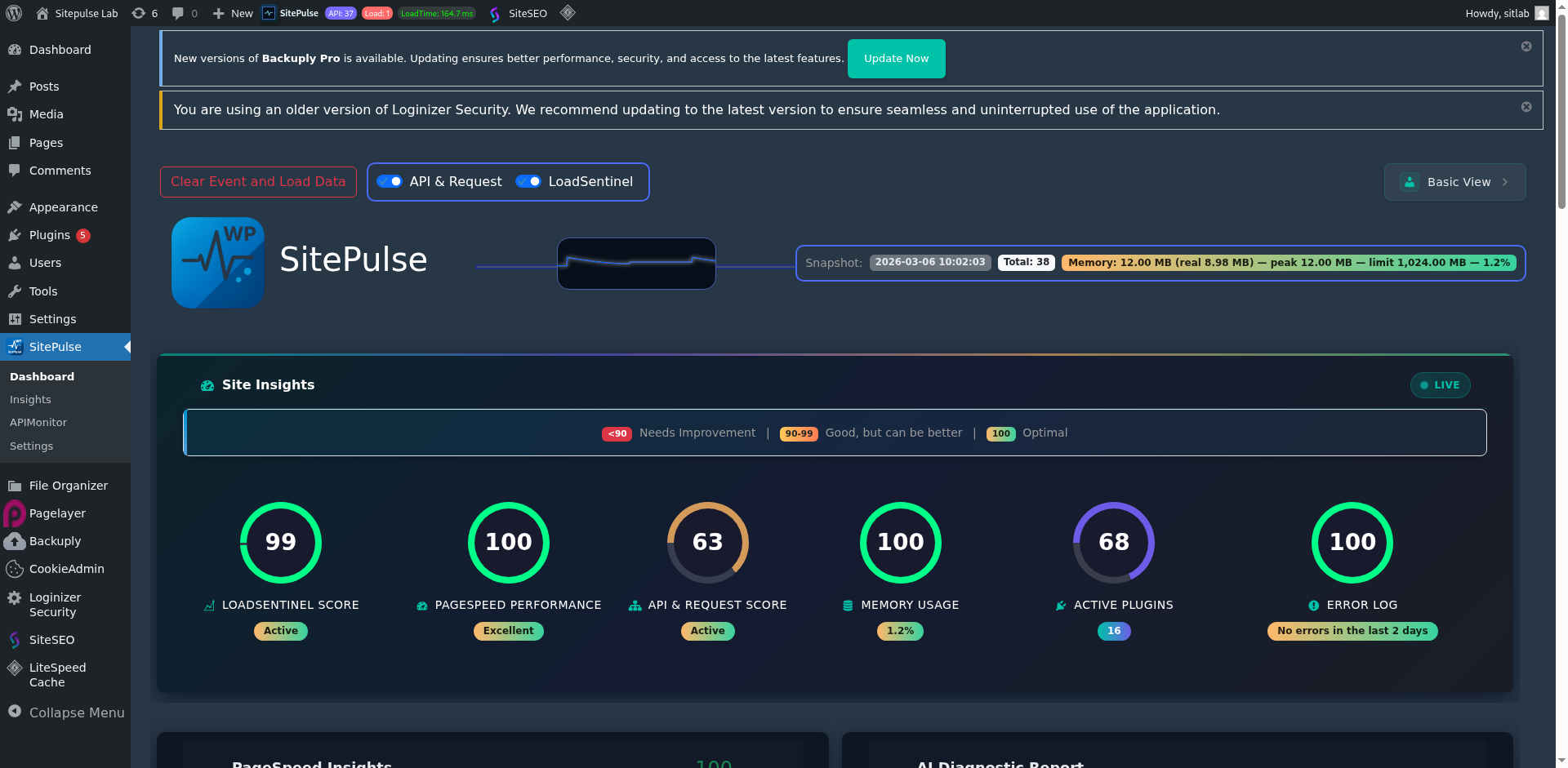
- WordPress-first monitoring — Not a general tool adapted for WordPress, but built from the ground up for WordPress sites
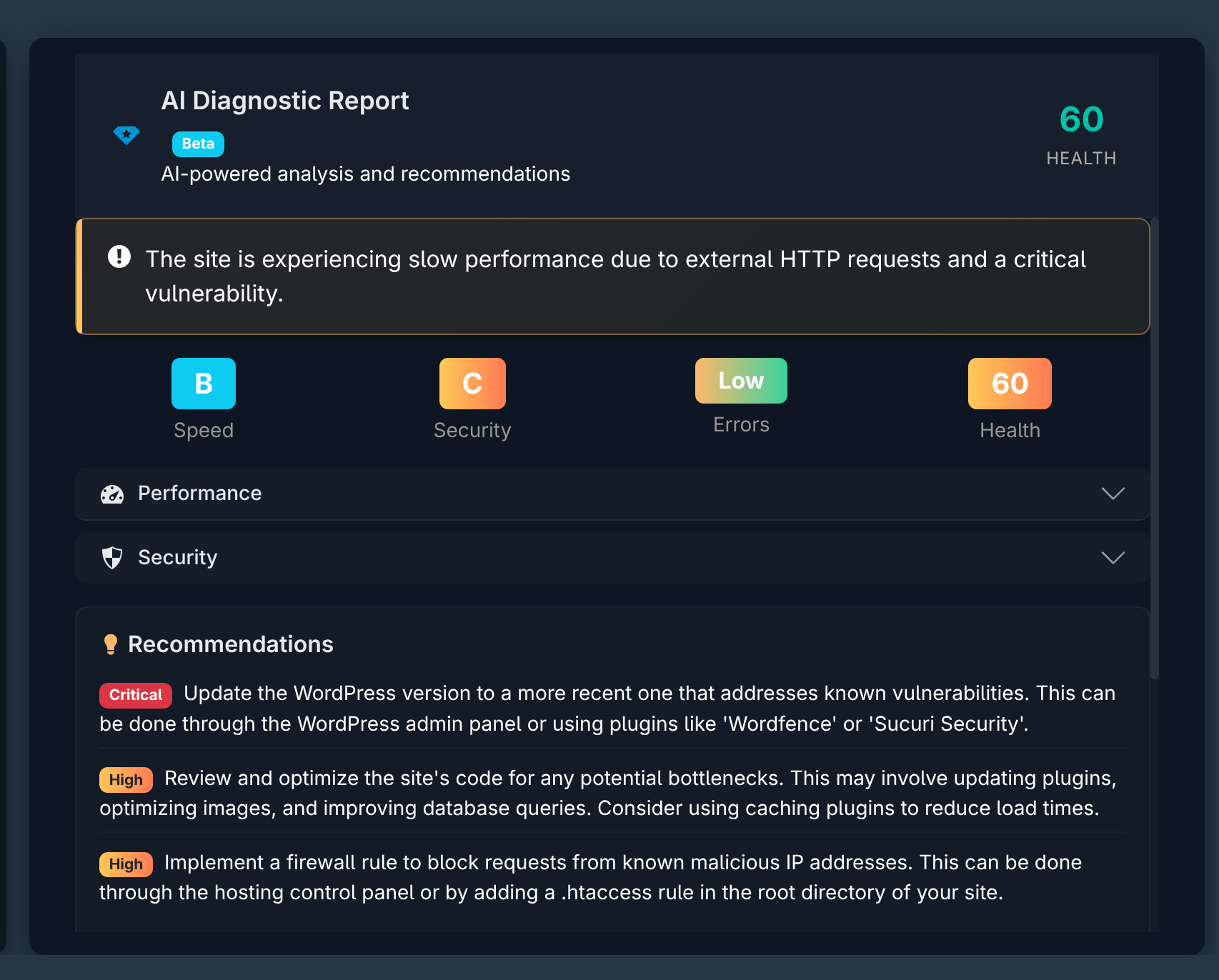
- AI-powered diagnostics — Get plain-language insights into what is slowing your site down, not just raw numbers
- Core Web Vitals tracking — Monitor LCP, INP, and CLS directly in your WordPress admin
- Plugin performance insights — Know exactly which plugin hooks are slowing down your site
- Free to start — No credit card required to begin monitoring your WordPress site
Final Thoughts
If you are serious about WordPress performance and want a tool that understands the nuances of WordPress sites — from plugin hook execution times to Core Web Vitals to AI-powered health scores — SitePulse is worth trying. Start free and see the difference for yourself.